
'DeclarationPublic Class Hyperlink Inherits WorksheetElement
'UsageDim instance As Hyperlink
public class Hyperlink : WorksheetElement
using ( var workbook = Workbook.Create( "test.xlsx" ) )
  {
    // Get the first worksheet. A workbook contains at least 1 worksheet.
    var worksheet = workbook.Worksheets[ 0 ];

    // Add an hyperlink for a cell reference(z1) in the same worksheet.
    // Position the hyperlink in cell B6 and extend the hyperlink on 2 columns.
    worksheet.Cells[ "B5" ].Value = "Add an hyperlink to a cell reference in same worksheet:";
    worksheet.Hyperlinks.Add( "z1", "B6", 1, 2, "Link to another cell.", "A cell reference." );

    // Add a new worksheet and fill cells.
    workbook.Worksheets.Add();
    workbook.Worksheets[ 1 ].Cells[ "D4" ].Value = "The other worksheet.";

    // Add an hyperlink for a cell reference in another worksheet (sheet2, cell B1).
    // Position the hyperlink in 8th row and 2nd column and extend the hyperlink on 3 columns.
    worksheet.Cells[ "B8" ].Value = "Add an hyperlink to a cell reference in another worksheet:";
    worksheet.Hyperlinks.Add( "Sheet2!B1", 8, 1, 1, 3, "Link to another worksheet's cell.", "Another worksheet cell reference." );

    // Add an hyperlink to an external document.
    // Position the hyperlink in cell B12 and extend the hyperlink to cell D12.
    worksheet.Cells[ "B11" ].Value = "Add an hyperlink to an external document:";
    worksheet.Hyperlinks.Add( "../abc.xlsx", "B12", "D12", "Link to another document.", "An external document link." );

    // Add an hyperlink to an email address.
    // Position the hyperlink in cell B15 and extend the hyperlink for 2 rows and 2 columns.
    worksheet.Cells[ "B14" ].Value = "Add an hyperlink to an email address:";
    worksheet.Hyperlinks.Add( "[email protected]", "B15", 2, 2, null, "An email link." );

    // Add an hyperlink to a web site.
    // Position the hyperlink in cell B18.
    worksheet.Cells[ "B17" ].Value = "Add an hyperlink to a web site:";
    worksheet.Hyperlinks.Add( "www.xceed.com", "B18", 1, 1, "Xceed", "A web site link." );

    // Save the workbook to disk.
    workbook.Save();
  }
System.Object
Xceed.Workbooks.NET.WorkbookElement
Xceed.Workbooks.NET.WorksheetElement
Xceed.Workbooks.NET.Hyperlink
| Name | Description | |
|---|---|---|
 | Hyperlink Constructor | Creates a Hyperlink that can be used with the ReplaceContent method. |
| Name | Description | |
|---|---|---|
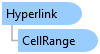
 | CellRange | Gets or sets the range of Cells where the Hyperlink is applied. |
| DestinationAddress | Gets or sets the URL address of the Hyperlink's destination. |
| TextToDisplay | Gets or sets the text that should be displayed if the existing text is to be replaced. |
| Tooltip | Gets or sets the text that will be displayed when the user mouses over the Hyperlink’s CellRange. |
| Type | Gets the HyperlinkType. |
| Name | Description | |
|---|---|---|
 | GetTypeCode | |
| ToBoolean | |
| ToByte | |
| ToChar | |
| ToDateTime | |
| ToDecimal | |
| ToDouble | |
| ToInt16 | |
| ToInt32 | |
| ToInt64 | |
| ToSByte | |
| ToSingle | |
| ToString | Overloaded. |
| ToType | |
| ToUInt16 | |
| ToUInt32 | |
| ToUInt64 |
.NET: net5.0, net5.0-windows, net6.0, net6.0-macos, net6.0-windows, net7.0, net7.0-macos, net7.0-windows, net8.0, net8.0-browser, net8.0-macos, net8.0-windows, net9.0, net9.0-browser, net9.0-macos, net9.0-windows, net10.0, net10.0-browser, net10.0-macos, net10.0-windows.
.NET Framework: net40, net403, net45, net451, net452, net46, net461, net462, net463, net47, net471, net472, net48, net481.